A second set of eyes on every print
Swarf is a thinking partner for CNC machinists and shops: it reviews drawings and programs, remembers what your shop dials in, and generates G-code for your machines. Here's how it reviews a print with you, and helps you size up a job before you quote it.
Every print hides a few surprises
A tolerance that needs a second setup. A thread callout you don't have a tap for. A datum scheme that doesn't match how you'd hold the part. In a job shop, you find them while quoting if you're lucky, and at the machine if you're not.
Catching them early means reading every callout and every note, while the next three RFQs wait.
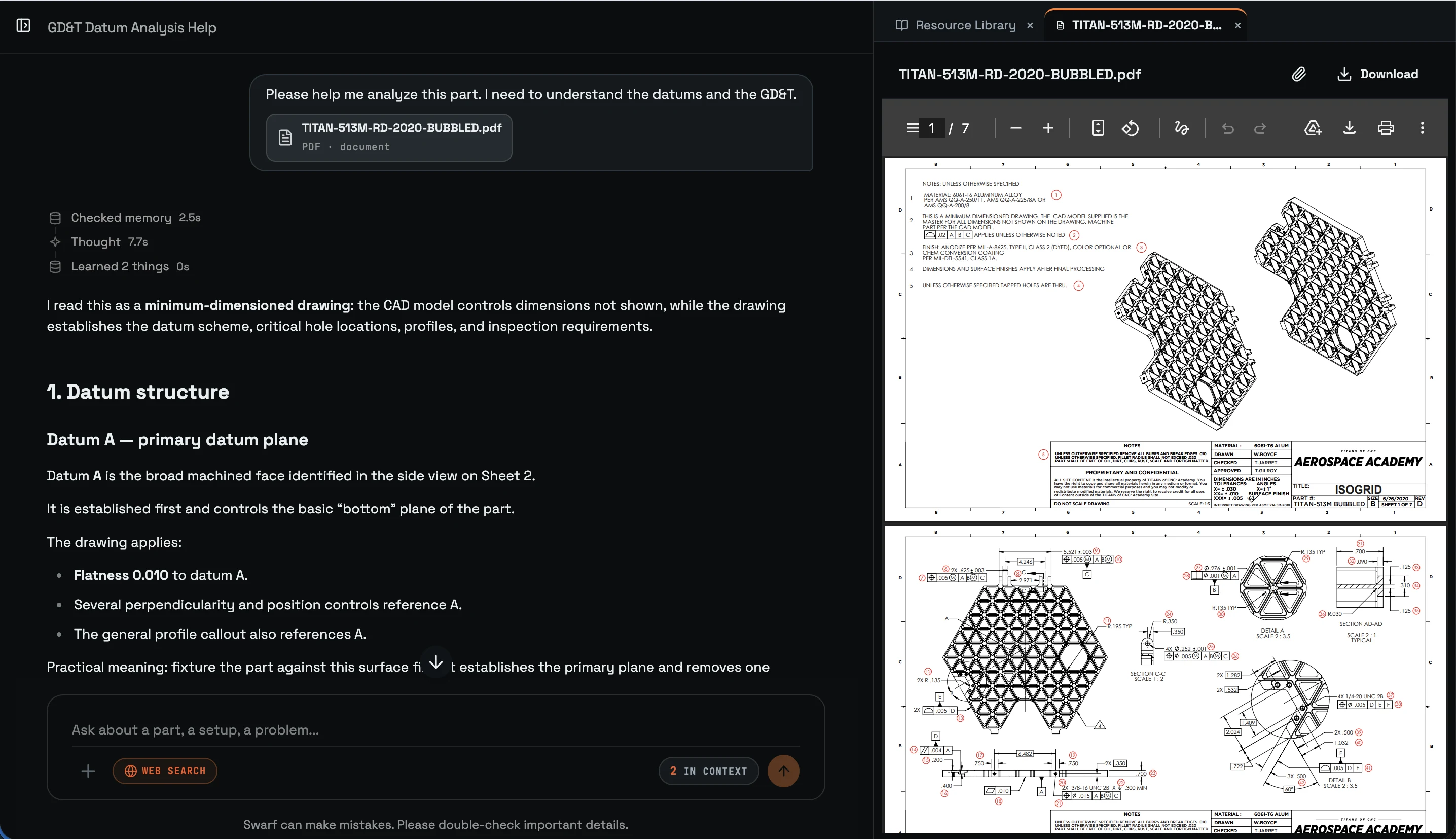
Bring the print. Ask in plain language.
Upload the drawing as a PDF, an image, or a photo from the shop floor. Then ask what you'd ask a sharp programmer looking over your shoulder.
Reads the callouts
Swarf works through the GD&T, datums, tolerances, threads and finish notes, and explains what each one means for making the part.
Flags what could bite you
It points out what will make the job hard - tight features, awkward datums, extra setups, the tooling and workholding to plan for - using your own machines and tooling.
Writes it up
Turn the conversation into a setup sheet, a process plan or a checklist for the shop floor.
Size up a job before you quote it
Before you put a number on a job, you want to know what you're signing up for. Ask Swarf how many setups the part needs, what tooling it calls for, which features will eat the most time, and where it could go wrong.
You still set the price. Swarf helps you see the work behind it.
Start with your next RFQ
- Upload the print for a job you're about to quote.
- Ask Swarf what it would watch out for.
- Compare its read with yours.
A second set of eyes on every CNC job, before you commit to a number.